Why Didn’t Anyone Tell Me About ReShade??!!!
Okay, that may be a lie.
Literally EVERYONE has suggested ReShade and/or Gshade at some point, BUT . . .
NONE of yall effectively articulated just how incredibly significant the difference would be.
All everyone says is how crap the game looks but I just looked at yall crazy thinking we couldn’t possibly be talking about the same game. As a new-ish player, naturally everything is well.. new and fresh to me, so I couldn’t see the big whoop.
To be fair, I don’t think it’s something you can really do justice just by looking at before and after pictures. I saw so many posts doing just that and, in my opinion, the before always looks better.
This could be due to the fact that I was painfully unaware of just how dull and lifeless the standard game graphics are. On multiple occasions I even used the words “good” and “vibrant” to describe them *shudders in shame*.
But you don’t know what you don’t know.
What Is ReShade?
Is this the first you’re hearing of it? Hate that I’m the one you heard it from as I’ll probably do a terrible job explaining but here goes.
From what I understand, it’s kind of like an enhancement filter for your game (sort of like the beautify filter on snapchat). Absolute sorcery am I right?
Obviously it’s a bit more technical than that, but that’s the gist of it. I believe different shaders offer different enhancements, but color correction is a big focus.
Shaders can also be used to set specific styles. For example if you want to create a grainy retro save file or dark and moody post apocalyptic save file, you can find presets that do exactly that.
Going in with zero expectations, I didn’t know what I wanted so I went with a simple preset that makes light but impactful improvements.
What Made Me Try ReShade?
Boredom. My game was broken and I had just deleted my entire mods folder. What else did I have to do?
It was something I had been curious about for awhile, but never curious enough to finally do it. Until I literally had nothing else to do. I love experimenting in my game and having little to no mods only makes it easier to do, so I did it.
**Note*** ReShade is not a mod and does not go in your mods folder!
Why Did I Choose ReShade?
Honestly, there was just too much drama around Gshade. I mean when isn’t there drama in The Sims 4 PC community? I swear, as a console player life was so much simpler and peaceful. You get exposed to soooo much more playing on PC (good and bad) but that’s a rant for another day.
I’m far from a “guru” on the subject but, from what I’ve learned, both of them seemingly do the exact same thing just with a different name. It does seem like more simmers make Gshade presets so keep that in mind if you’re torn about which way to go.
If you’re tech savvy, you can apparently convert Gshade presets to ReShade and vice versa, but I ain’t got time for alla that.
Can I Help You Install ReShade?
Baby no.
I just be doing stuff for real. I’m the biggest advocate for experimenting in your own game. I literally just try things and hope for the best. Although I’d be lying if I said it always worked out, there’s really few things you can’t recover from.
Outside of completely obliterating your entire Sims 4 folder, you can always just repair your game to fix most things or uninstall something you installed incorrectly. I promise it’s not as scary as it seems.
Perhaps in the future when I actually know what I’m doing, I will revisit the idea.
Until then, I can provide you with the tutorial I followed here and the download to ReShade here.
You’re welcome.
What Preset Am I Using?
I’m using an absolutely LOVING Dove 2.0 by Kindlespice. This preset was the one suggested in the tutorial above and it’s just chef’s kiss! This preset just makes all of the worlds come alive with detail and vibrance I didn’t know I was missing.
The before and after pictures on their Tumblr post didn’t sway me though. The images looked way too saturated for my liking but I tried it anyway just for practice honestly. W decision.
I’m literally jump scared by my own game now whenever ReShade is accidentally toggled off. It truly makes that big a difference.
In the words of Patricia Bright, the vanilla game graphics look casket ready, and I swear that’s not at all an exaggeration. Please come back and comment on this post to confirm the accuracy if I’ve inspired you to try ReShade. I’ll wait.
Before & Afters
Do I think these photos are going to sway anyone to make the switch? No. Did I want an excuse to take pictures of game? *smiles menacingly*
Also, it’s kinda obligatory to do it in a post like this no?
I never edit my photos because .. I don’t want to that’s why, so everything you see is exactly how it appears in game.
Willow Creek – Crawdad Quarter
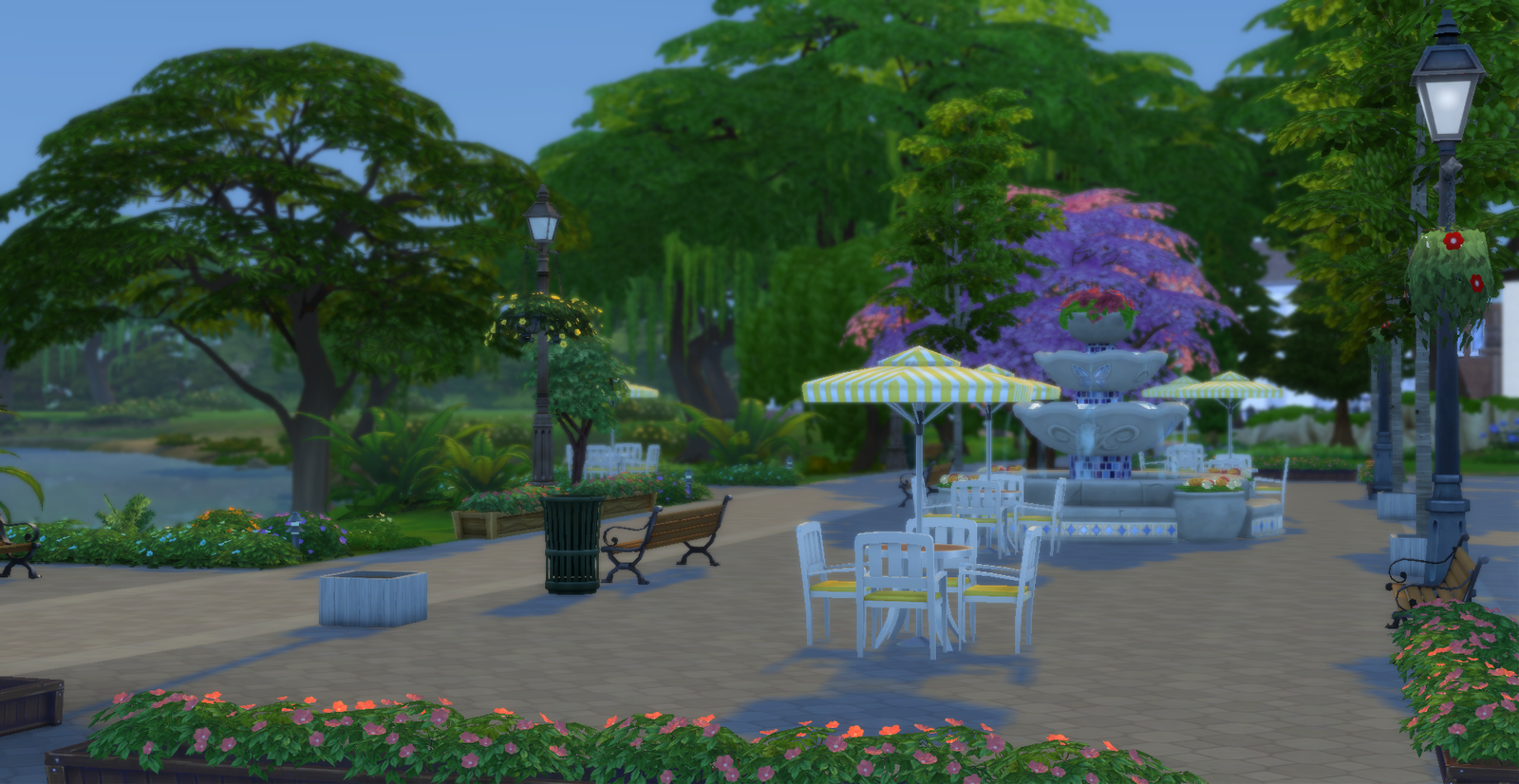
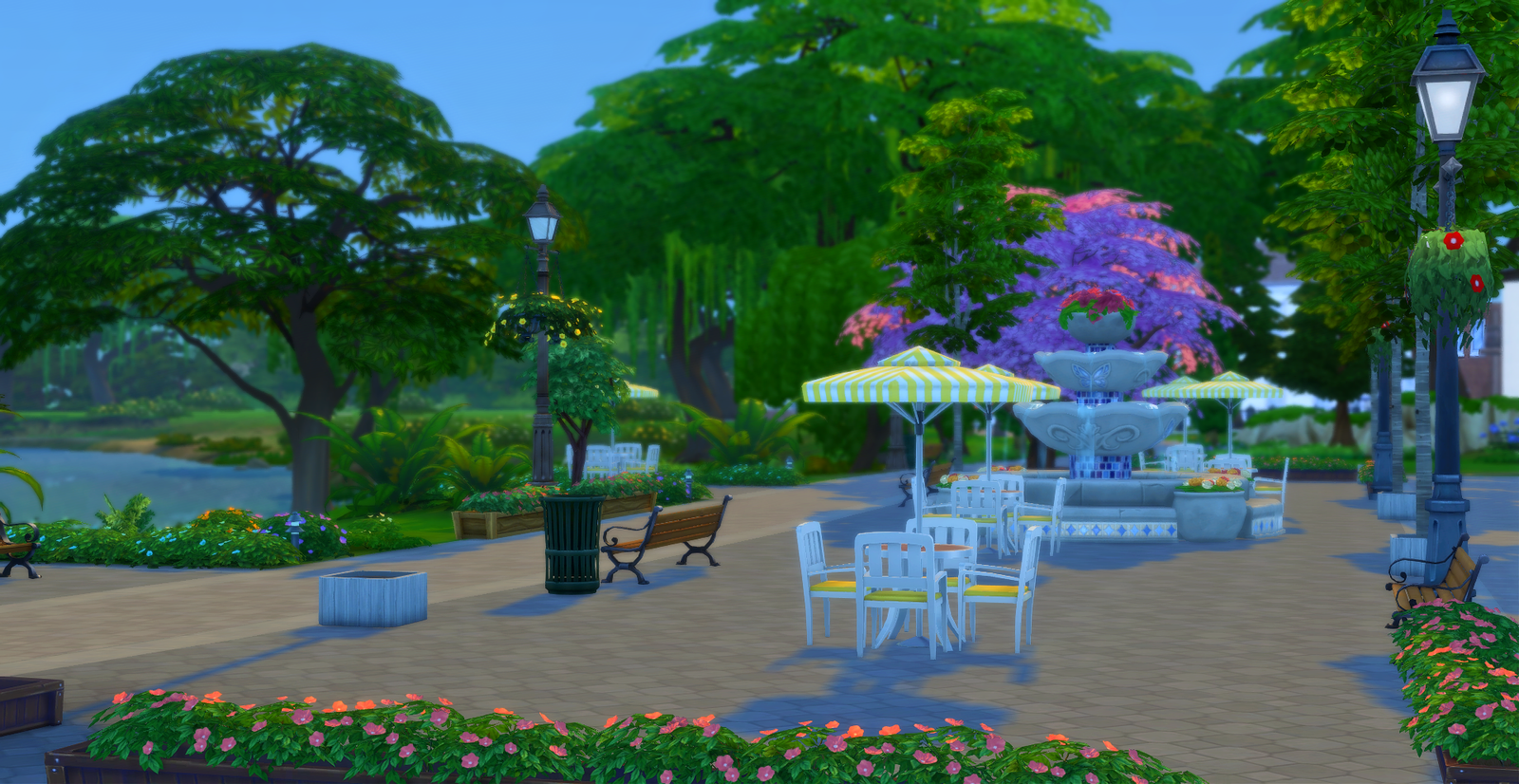
Brindleton Bay – Whiskerman’s Wharf
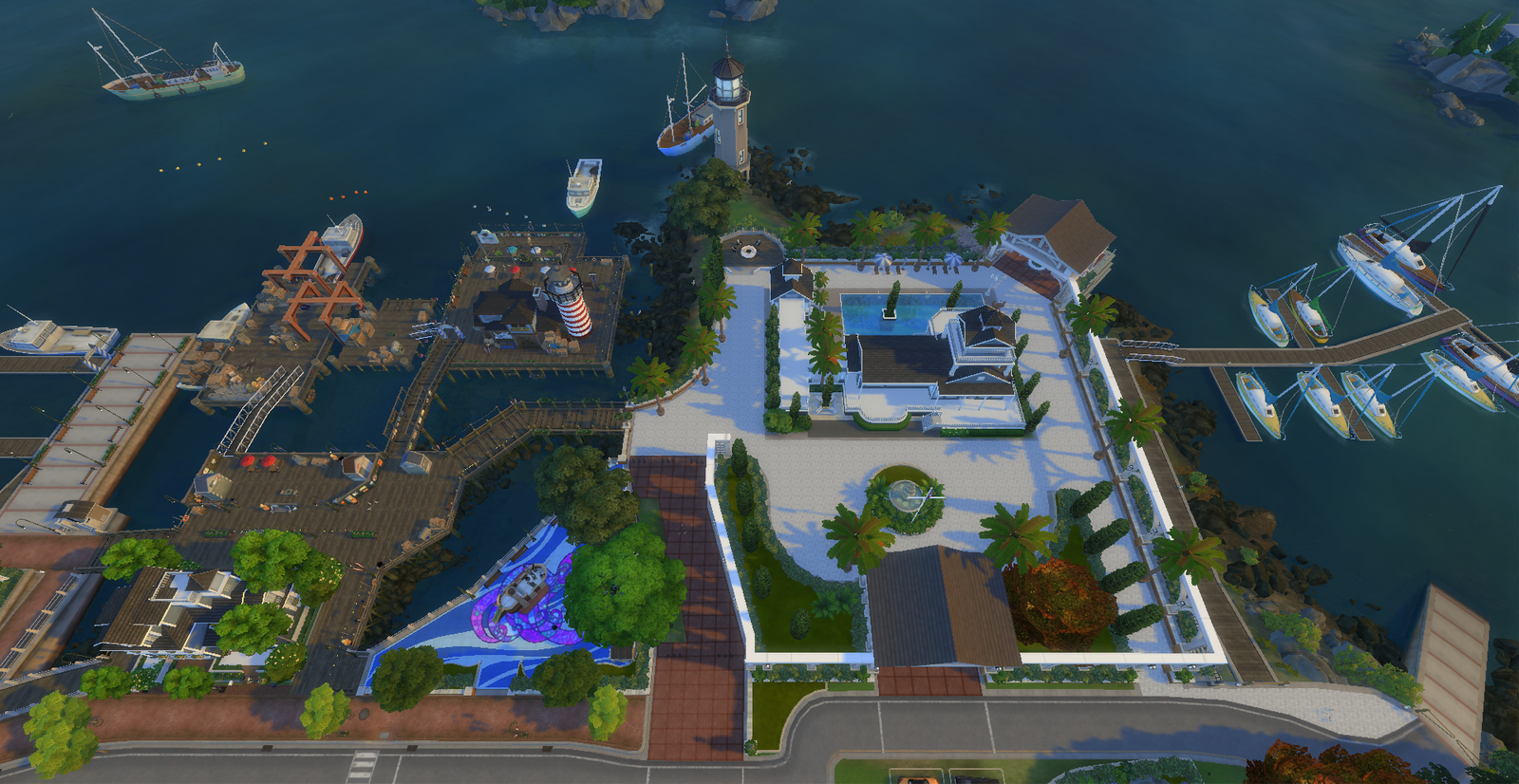
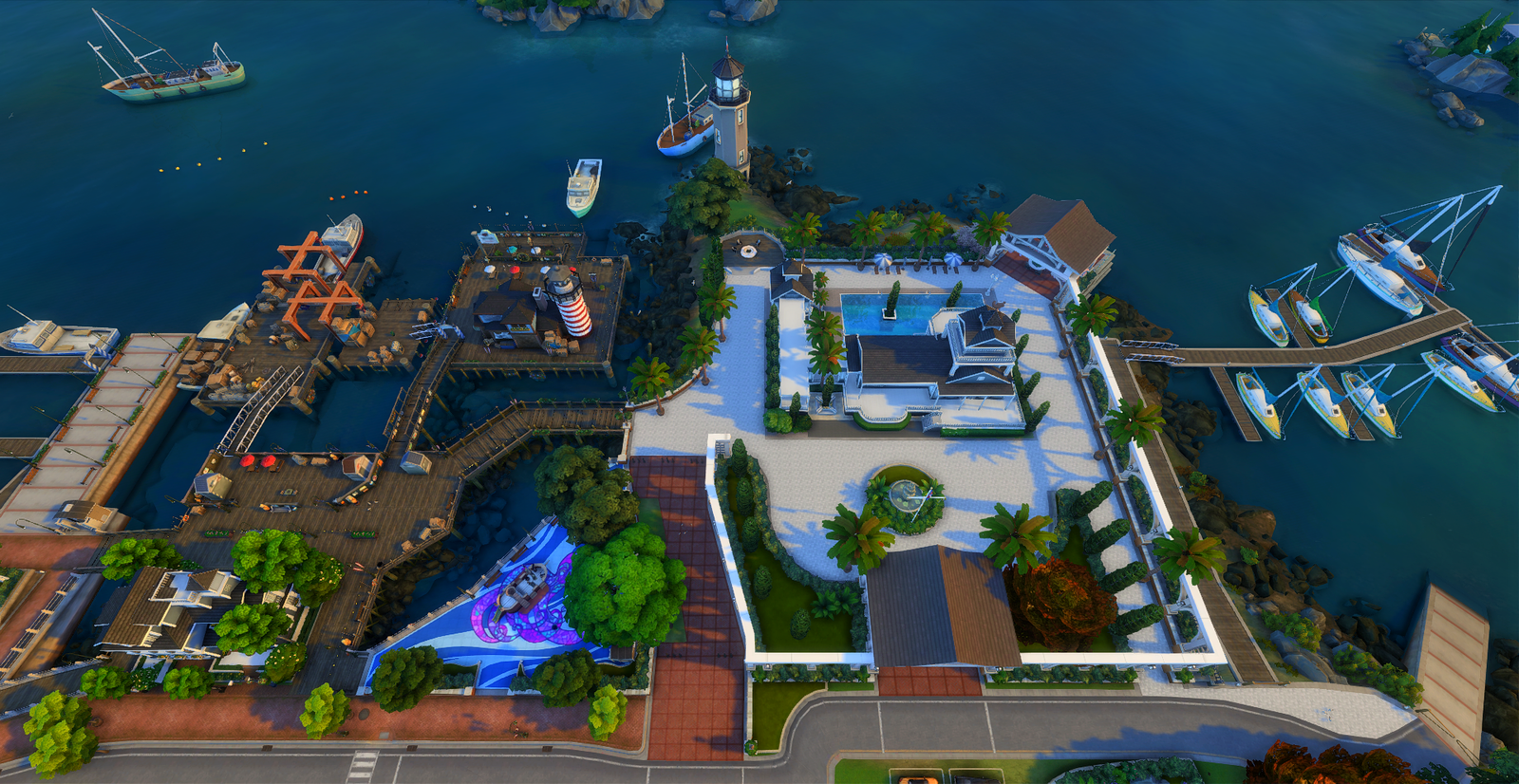
Del Sol Valley – Starlight Boulevard
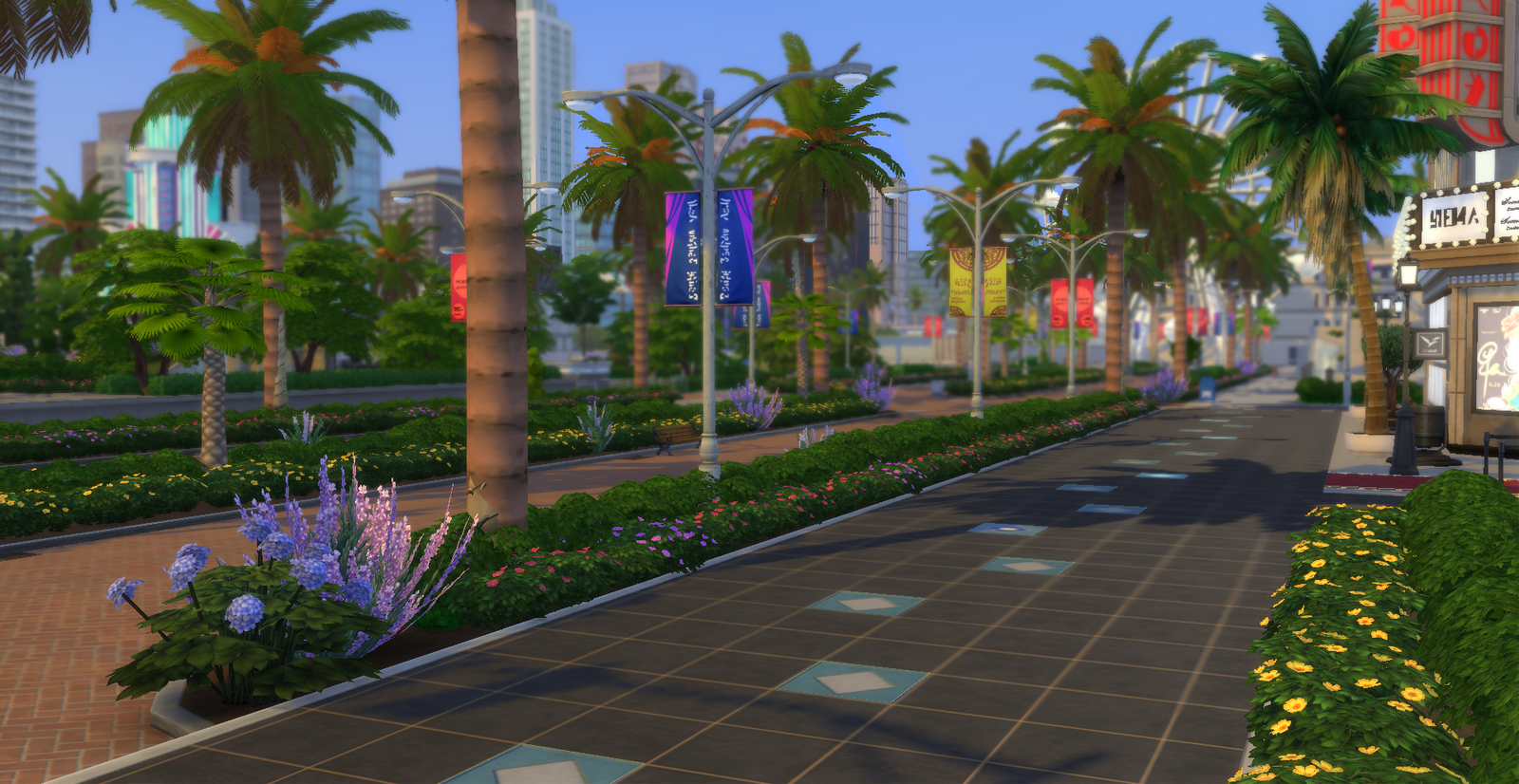
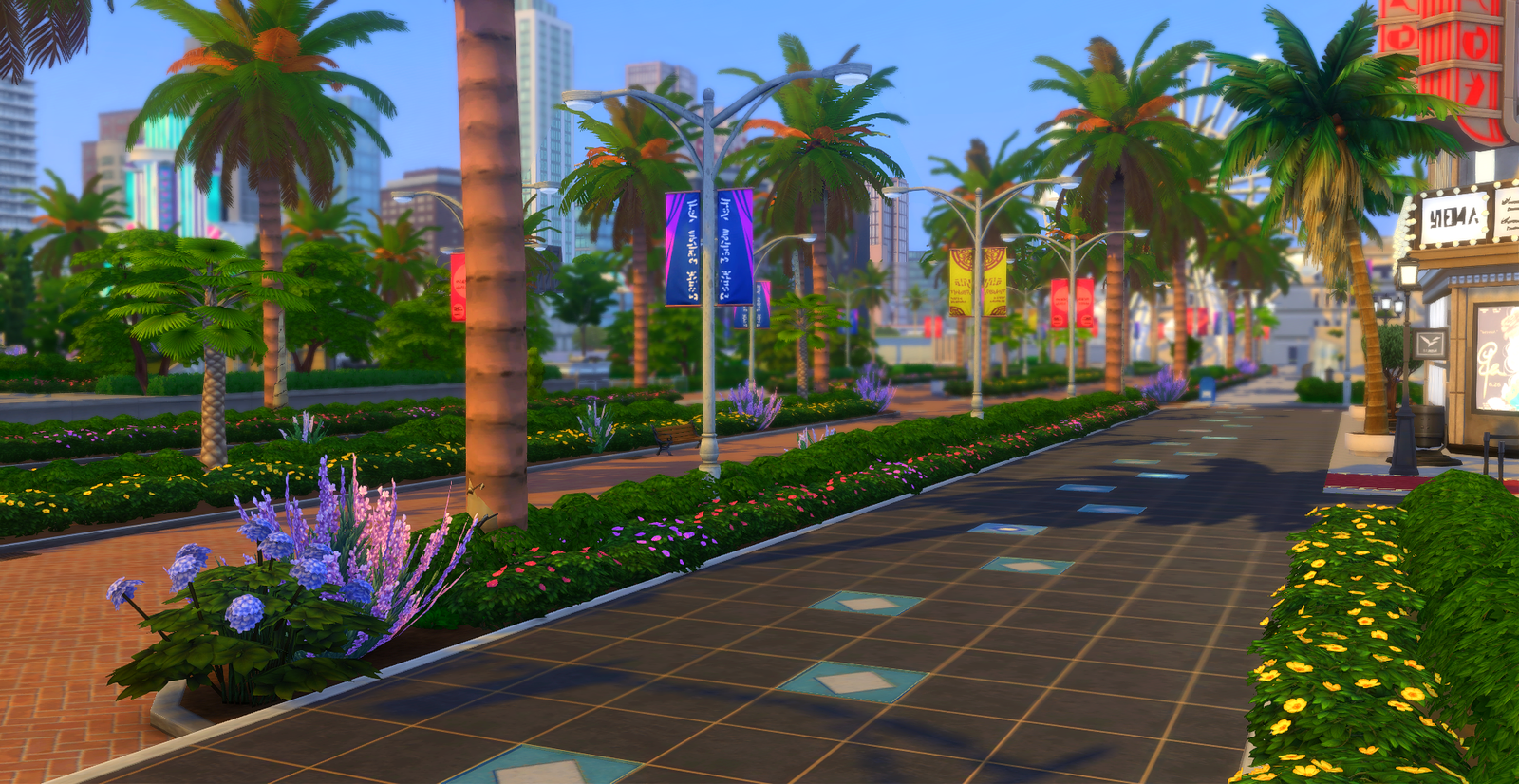
Summary
This post was in no way meant to shame anyone who doesn’t care to alter their game settings in anyway. If you love your game how it is, I love that for you!
What this post was meant to do was allow me an outlet to voice my latest fixation! If it happened to encourage you to explore ReShade/Gshade then that’s an added bonus.
But be warned; there’s a catch 22 with trying new things. It’s oddly satisfying and heartbreaking discovering things you can’t play without because once you love it, there truly is no going back.
Please feel free to share your thoughts on any of the above or rattle off about your own fixations below. I would love to yap some more.
That’s all for now friends!
Stay Kind, Until next time 💋


You May Also Like
A Deep Dive Into My Sims 4 Save File (Work in Progress)
How To Find Your Sims 4 Mods Folder & Tray Folder (Beginner’s Step-By-Step Guide)